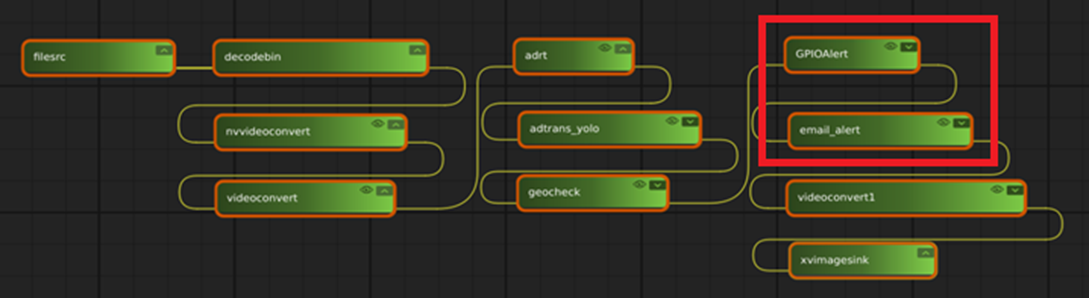
Get the plugins from the following link.
https://github.com/IST-EVA-Support/ai-quick-start-suite
¶ Application
Please refer to the video below for a demo of the plugins.
https://www.youtube.com/watch?v=apzZuNiTiCM
¶ Information
- GPIO Alert
Control NEON's GPIO when the alert type matched in ADLINK detection result metadata.
- Email Alert
Send email to user when the alert type matched in ADLINK detection result metadata.
Get parameter information of the plugins :
gst-inspect-1.0 email_alert
gst-inspect-1.0 GPIOAlert
¶ How to use
¶ GPIO Alert
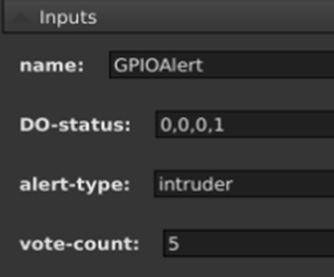
- DO-status: Set NEON DO0-DO4 ON/OFF.
e.g. parameter DO-Status=1,1,0,0, DO0-DO1 ON, DO2-DO3 OFF","1,0,0,0" - alert-type: Alert type string name.
- vote-count: The number of frames for which you want to change the DO state.
(The value is depends on your application.)
¶ Email Alert

- alert-type: Alert type string name.
- attach-event-image: Attach event image to the mail.
- receiver-address: Receiver's email address.
- sender-address: Sender's email address.
- sender-pwd: Sender's email password.