¶ What can you learn from this sample code?
Through this sample code, you can learn:
- Establish a basic gstreamer pipeline in an application program.
- Including initialization pipeline, declaration relative instances, linkage of the element and releasing the resources.
- Set the property of the element in the pipeline.
- Handle the pipeline messages if required.
¶ Essential knowledge
- Ever execute the GSTREAMER pipeline command in terminal(Linux) or cmd(Windows).
- The difference between application code and plugin/element code.
- Python programming.
¶ About this sample code
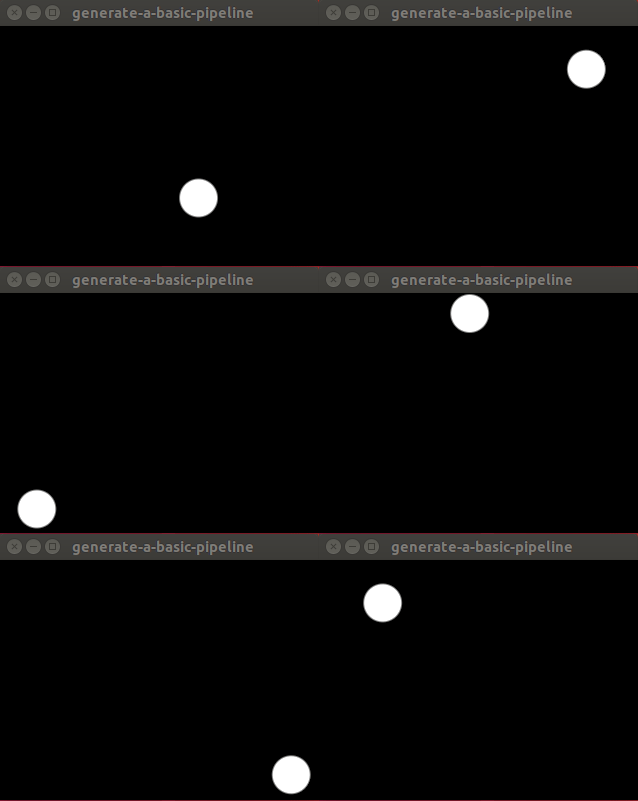
This sample shows how to generate a simple pipeline equivalent to:
gst-launch-1.0 videotestsrc pattern=18 ! autovideosink
Besides the establishment of the pipeline, this example also illustrate how to handle the 2 return messages: GST_MESSAGE_ERROR and GST_MESSAGE_EOS. More messages return could be found HERE. See the GstMessageType of Enumerations section. Based on the requirement to add the message if needed in advance.
¶ Description
There are seven main steps to form the application of generate-a-basic-pipeline.c:
• Step 1: Initialize GStreamer
• Step 2: Create the elements
• Step 3: Create the empty pipeline and then build it
• Step 4: Modify the source's properties
• Step 5: Start playing the pipeline
• Step 6: Message handling
• Step 7: Free resources
Here, we will take generate-a-basic-pipeline.c for explanation.
¶ Step 1: Initialize GStreamer
In this step, it is required and must to initialize the GStreamer by init for the application.
# Initialize GStreamer
    Gst.init(sys.argv)
¶ Step 2: Create the elements
Create the elements by factory.
# Create the elements
    ## element: videotesetsrc
    src = Gst.ElementFactory.make("videotestsrc", "src")

    ## element: autovideosink
    sink = Gst.ElementFactory.make("autovideosink", "sink")
¶ Step 3: Create the empty pipeline and then build it
Generate a pipe line in order to put all element in it and then playing it later.
# Create the empty pipeline
    pipeline = Gst.Pipeline().new("test-pipeline")

    # Build the pipeline
    pipeline_elements = [src, sink]
    establish_pipeline(pipeline, pipeline_elements)
The establish_pipeline add and link the elements:
def establish_pipeline(pipeline, pipeline_elements):
    ## Add elements in pipeline.
    for element in pipeline_elements:
        pipeline.add(element)
    ## Link element one by one.
    for i in range(len(pipeline_elements) - 1):
        pipeline_elements[i].link(pipeline_elements[i + 1])
¶ Step 4: Modify the source's properties
This step is optional if you are going to set some properties to each element. In ex_application.c, we required to set properties, pattern, for switch the pattern images we are going to use:
    # Modify the source's properties
    src.set_property("pattern", 18)
¶ Step 5: Start playing the pipeline
Playing the pipeline we created:
# Start pipeline
    pipeline.set_state(Gst.State.PLAYING)
    loop = GLib.MainLoop()

    # Wait until error or EOS
    bus = pipeline.get_bus()
    bus.connect("message", on_message, loop)

    try:
        print("Start to run the pipeline.\n")
        loop.run()
    except Exception:
        print("in exception")
        traceback.print_exc()
        loop.quit()
¶ Step 6: Message handling
This step makes sure the message be thrown by the pipeline we created through the GstBus. This message handling could customize based on different event thrown.
def on_message(bus: Gst.Bus, message: Gst.Message, loop: GObject.MainLoop):
    mtype = message.type

    if mtype == Gst.MessageType.EOS:
        print("End of stream")
        loop.quit()

    elif mtype == Gst.MessageType.ERROR:
        err, debug = message.parse_error()
        print(err, debug)
        loop.quit()
    elif mtype == Gst.MessageType.ANY:
        err, debug = message.parse_warning()
        print(err, debug)

    return True
¶ Step 7: Free resources
Finally, release all used GStreamer instances:
# Stop Pipeline
    pipeline.set_state(Gst.State.NULL)
    del pipeline
¶ Run this sample code
Go to the folder of this sample source in terminal or cmd:
$ python3 generate-a-basic-pipeline.py
and you will see the moving ball windows displayed: