¶ What can you learn from this sample code?
Through this sample code, you can learn:
- Set classification results into admetadata.
¶ Essential knowledge
- Plugin sample code, "video filtr", in Python.
- Plugin sample code, "Get Admetadata->classification", in Python.
- The difference between application code and plugin/element code.
- ADLINK metadata structure. The metadata structure could be find in Edge Vision Analytics SDK Programming Guide: How to Use ADLINK Metadata in Chapter 5.
- Basic Python programming.
¶ About this sample code
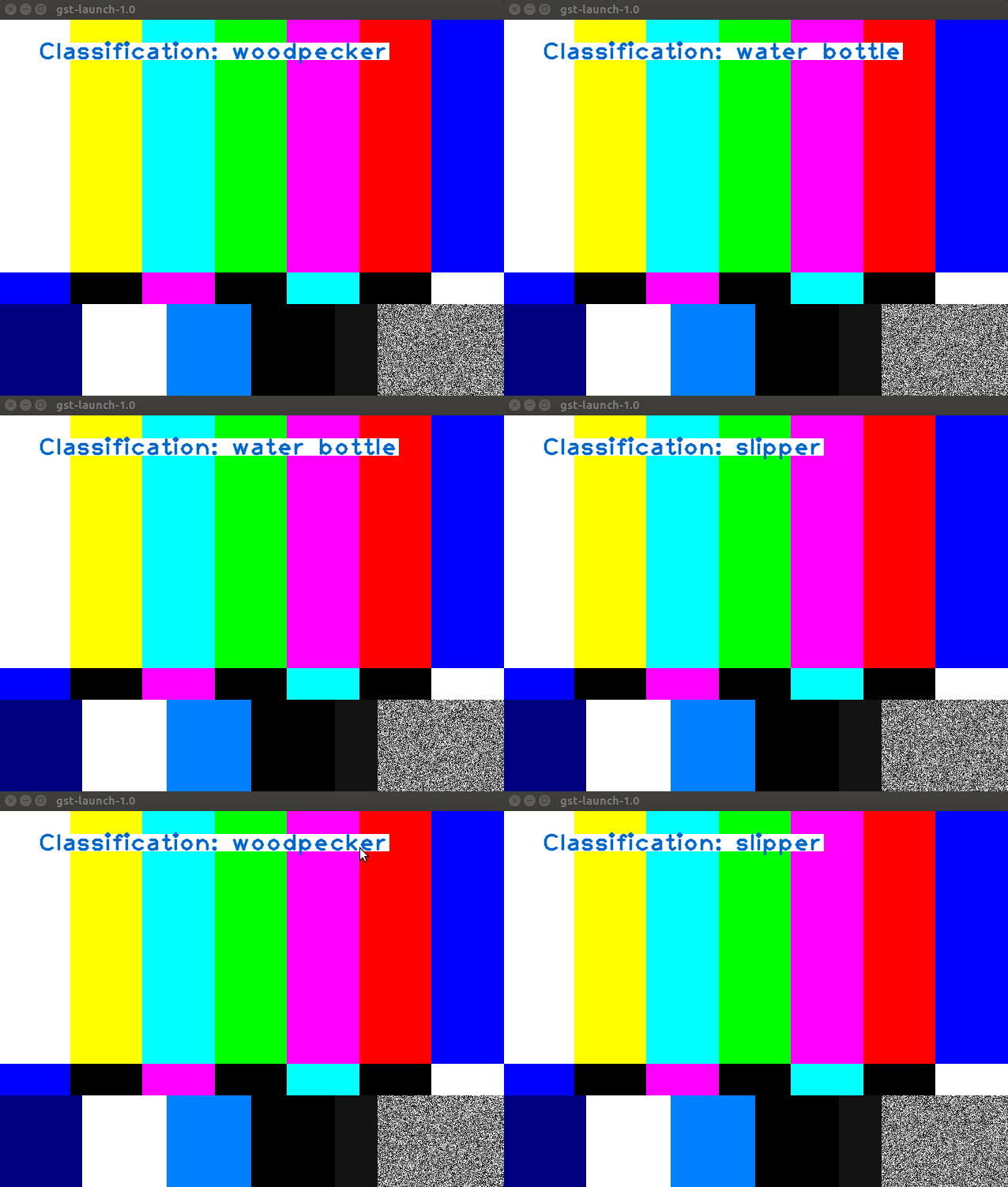
This sample shows how to set the adlink metadata inside the element. The target created pipeline command is:
$ gst-launch-1.0 videotestsrc ! video/x-raw, width=640, height=480 ! classifier_sample ! admetadrawer ! videoconvert ! ximagesink
This command is used to display the simulated classification result and the element(this sample code), classifier_sample, set the simulated classification data into admetadata.
¶ Description
This sample is constructed based on the python video filter and put the simulated classification results into admetadata. Here is the simulated labels:
self.labels = ['water bottle', 'camera', 'chair', 'person', 'slipper', 'mouse', 'Triceratops', 'woodpecker']
The label content will randomly selected every self.duration time as classification result:
# Change random data every self.duration time
if time.time() - self.time > self.duration:
  self.class_id = random.randrange(len(self.labels))
  self.class_prob = random.uniform(0, 1)
  self.time = time.time()
Here we just simply randomly generating the inferenced data instead of getting the inference raw data parsing. (If you want to retrieve the inferenced raw data, please reference to the Python Translator or contact to us for advanced.)
After selected, the results will append as cls array:
cls.append(admeta._Classification(self.class_id, '', self.labels[self.class_id], self.class_prob))
Then, the cls array will set into admetadata with buffer by wrapper function:
# Set data into admetadata
admeta.set_classification(buff, pad, cls)
Same with the last process with video-filter.py, required to install into the EVA package. Install process please refer to vido filter in Python.
¶ Run this sample code
After installing the Python plugin classifier_sample.py file to the plugin folder, run the GStreamer tool to inspect it to see the metadata and the object information.
$ gst-inspect-1.0 classifier_sample
and you will see all of the information listed:
Factory Details:
  Rank                     none (0)
  Long-name                Metadata addition
  Klass                    GstElement
  Description              Python based example for adding classification results
  Author                   Lyan Hung <lyan.hung@adlinktech.com>, Dr. Paul Lin <paul.lin@adlinktech.com>

Plugin Details:
  Name                     python
  Description              loader for plugins written in python
  Filename                 /usr/lib/x86_64-linux-gnu/gstreamer-1.0/libgstpython.so
  Version                  1.14.5
  License                  LGPL
  Source module            gst-python
  Binary package           GStreamer Python
  Origin URL               http://gstreamer.freedesktop.org

// more information omitted
Then run the pipeline command for testing:
$ gst-launch-1.0 videotestsrc ! video/x-raw, width=640, height=480 ! classifier_sample ! admetadrawer ! videoconvert ! ximagesink
and you will see the inference result displayed frame by frame in the window: